Simulator guide: army selection and a practical squad plan
Read the Unstable Simulator selection screen, prepare for soldiers that fight back and heal, and build a simple solo or squad routine.
Enter the Simulator
Choose Simulator from the main menu. ItzVexo enters the mode at 4:33 and shows its selection screen before opening the help overlay.
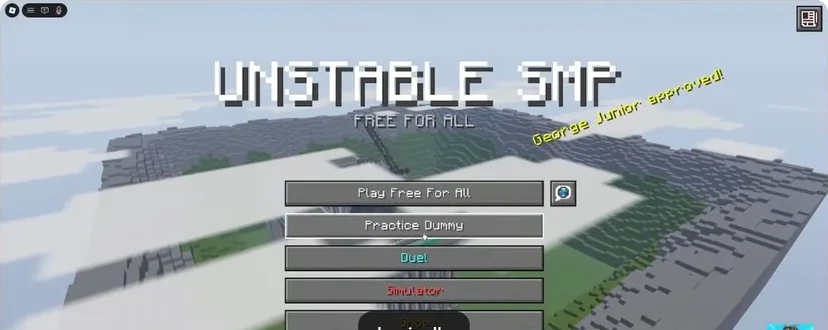
- FFA: enter an open player battle.
- Practice Dummy: learn the kit without a live opponent.
- Duels: focus on one opponent.
- Simulator: fight an army.
Read the army selection screen
The screenshot below shows the Unstable Simulator panel with an army list on the left and setup controls on the right. Visible entries include Recruits, NULL, The Mafia, Nether Army, Zam Empire and The Law. Read the selected army’s description before starting.
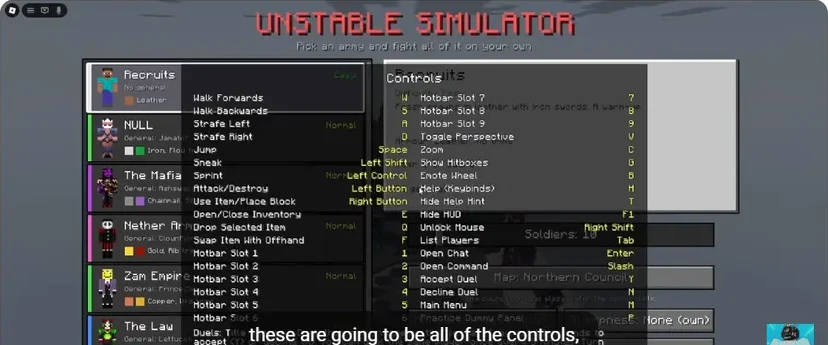
The help overlay covers part of the setup in this frame. Press H to close it and inspect the selected army and map in the live menu. The official description gives the overall scale: solo or up to ten players against up to 100 soldiers that respond and heal.
Start with a manageable fight
Use a kit whose weapon and recovery sequence you already know. Begin with a setup you can follow visually, then raise the pressure after you can keep track of targets and your own position. Learn new equipment in Practice Dummy first.
For a solo run:
- Find space to approach without walking into the centre of the group.
- Commit to one target long enough to create focused pressure.
- Watch the route behind you before retreating.
- Recover, reselect the weapon and approach again.
The soldiers heal, so constantly abandoning one target for another makes your attacks harder to turn into progress.
Give a squad a simple shared plan
Agree on a target caller and a regroup location. These are team responsibilities, not character classes. Keep the calls short enough to use during an active fight.
When players become separated, regroup before adding more engagements. A ten-person squad still needs a shared direction; the player limit does not organise the fight for you.
Prepare the recovery tools
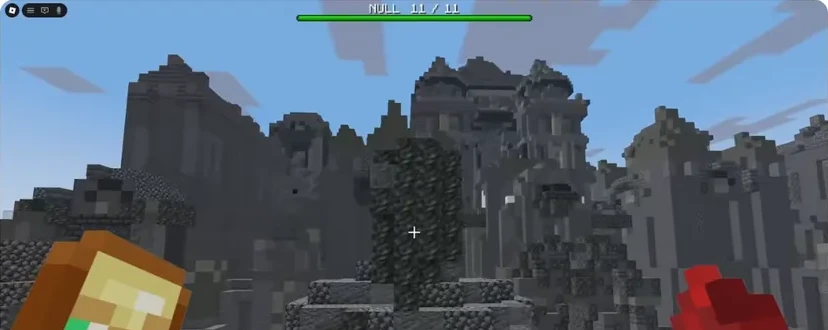
Check apples, potions and your offhand before beginning. Use the healing routine and inventory reference to avoid searching mid-fight.
For player combat instead of army battles, choose Duels or FFA. Simulator is a separate way to practise sustained combat pressure.
Sources
Checked 2026-11-13 · sources below
Game identity and mode limits: official Roblox experience. Screenshots link directly to the creator and the displayed video moment. Step sequences and practice drills are written by the wiki editors.
Related videos

Related Articles
guides
Character guide: read kits, compare Wraith and FlameFrags
Compare real Wraith and FlameFrags loadout panels in Unstable SMP FFA, then choose a character around the weapons and movement you want to learn.
guides
Cobweb guide: trap opponents and escape with pearls
See how cobwebs affect Unstable SMP FFA fights, where to place pressure and how to choose a clear Ender Pearl escape destination.
guides
Sword combat guide: critical hits, strafing and W-taps
Practise Unstable SMP FFA sword timing, descending critical hits, strafing and sprint resets with annotated dummy screenshots and video references.
Was this helpful?
Thanks for the feedback!